
Description
Brand: Phomemo
Color: Black
Features:
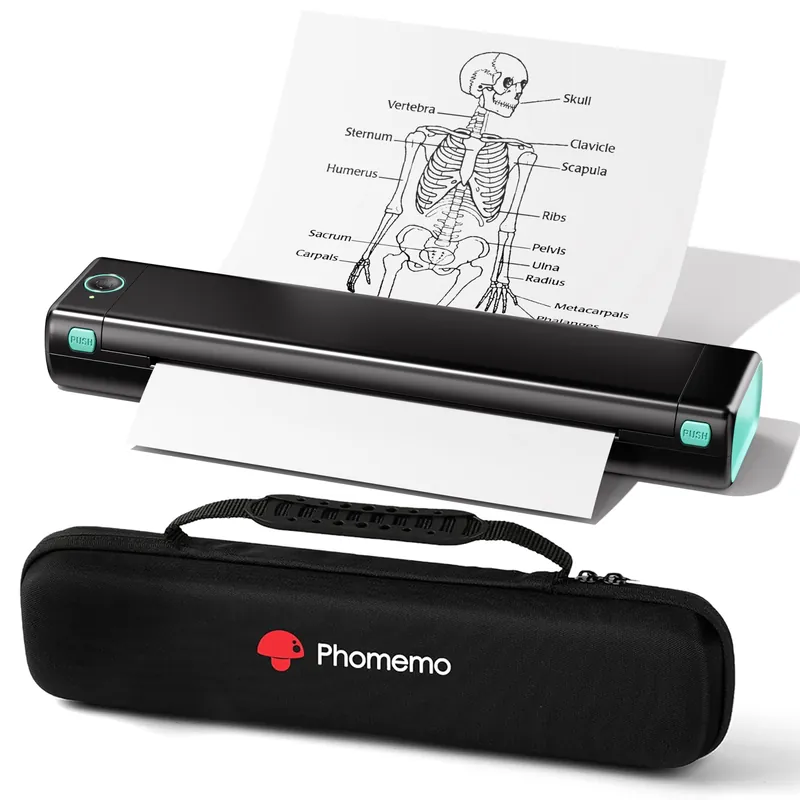
Bluetooth Printer【Go Wireless by Bluetooth】Get the “Phomemo” app from Google Play or Apple Store to print via Bluetooth on your M08F Portable Printer for iOS and Android. (Note: All devices cannot be directly connected to Bluetooth and need to be used through the Phomemo app.)
Inkless Printer【Inkless Printing】Small Printer use thermal technology – don’t require ink, toner, or ribbons, no ink-related blockages and cleaning issues. And instead you only need to replace the thermal paper and you’re good to go, each thermal paper costs only, cheaper than traditional ink cartridges + paper. (Note: Phomemo Portable printer is a thermal printer and only supports thermal printing paper, not support regular copy paper)
Phone Printer【Strong Compatibility】Print PDF, Word, Images, Web from your phone—whenever, wherever. You can also use a USB cable to connect for computer printing; (PC devices only works with USB connection, needs to download the driver first: m08f.phomemo)
【How to Print on Phones】1.) Power on printer. 2.) Download the “Phomemo” from your app store. 3). Enable Bluetooth on your phone > return to the Phomemo app & and click to add device. 4.) Selected the M08F (for this model)- wait for one second you should be connected. It took not even 5 minutes to set up and print. **If pairing took too long – reboot the printer by holding the power button down then back on again & and return to the app to pair. It was so easy to set up.Go Wireless by Bluetooth
Perfect Gift : Phomemo portable thermal printer can print clear image, DIY drawings and Files. It’s perfect for busy professionals and school students. Come with a carry case, making it as a perfect gift and suprise for your families and friends.
model number: M08F-BG
Part Number: Phomemo
EAN: 6936852809031
Package Dimensions: 13.9 x 4.3 x 3.2 inches
Reviews
There are no reviews yet.